
Managing company devices isn’t just about keeping them powered on and working. As an IT manager or business owner, you need visibility across every endpoint, the ability to deploy updates quickly, and tools to prevent data leaks before they occur. That’s exactly what endpoint management software provides.
Unified endpoint management software is no longer optional—it’s essential. In this guide, we’ll explain why endpoint management matters and present a list of the top software solutions to help you choose the right one for your business.

You may also feel interested in: Top 5 Network Monitoring Software 2026 | Pros & Cons
What is Endpoint Management Software?
Endpoint management software helps IT teams manage and secure all devices (or endpoints) connected to a company's network. Endpoints include computers, mobile phones, tablets, printers, and even IoT devices. As companies grow, endpoint privilege management becomes essential. Before selecting the right software, it’s useful to understand that effective solutions generally focus on three areas:
- Inventory and control devices: Good endpoint management software keeps track of every device, including hardware details and installed software. You can push configuration policies, enforce secure passwords, enable encryption, and remove unauthorized applications.
- Keep systems up to date: These platforms deploy patches and updates automatically. For example, when a new security update for Windows or macOS is released, the tool can test it and then install it across all company devices.
- Protect against threats: They enforce security policies (such as requiring passcodes), block risky network connections, and provide administrators with the ability to lock or wipe lost devices. Many tools also offer reporting features that track compliance with company policies and industry regulations.

What Is a malicious insider? Learn how to identify different types, spot warning signs, and use effective strategies to protect your organization’s data and systems. Learn more>>
Top 5 Endpoint Management Software Compared
Here’s a review of five leading endpoint management tools on the market. We highlight each product's key features, and user ratings to help you compare them effectively.
Microsoft Intune
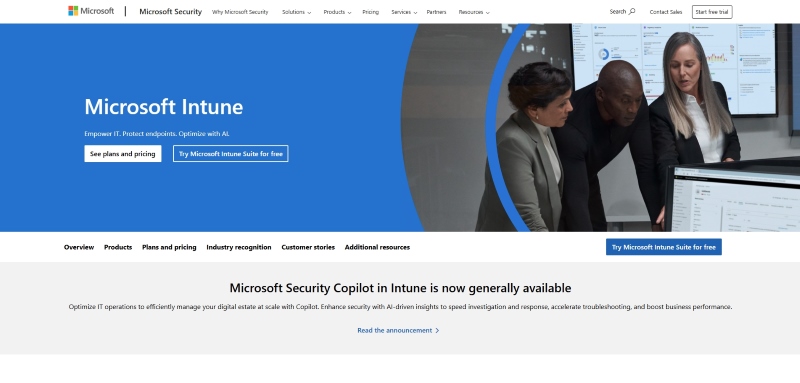
Microsoft Intune is Microsoft's flagship unified endpoint management (UEM) solution and a popular choice for many organizations. It is especially suited for companies already using Microsoft 365 and Azure. Intune manages desktops, laptops, and mobile devices across Windows, macOS, iOS, and Android; Linux support is limited to specific enterprise distributions (e.g., Ubuntu LTS) with core management features. Deep integration with Microsoft Entra ID (formerly Azure Active Directory) allows administrators to enforce conditional access and multi‑factor authentication. You can automate operating system deployment with Autopilot, push apps, and remotely lock or wipe lost devices. For example, a healthcare provider can ensure doctors' iPads are encrypted and only approved apps can access patient data.
Key Features of Microsoft Intune
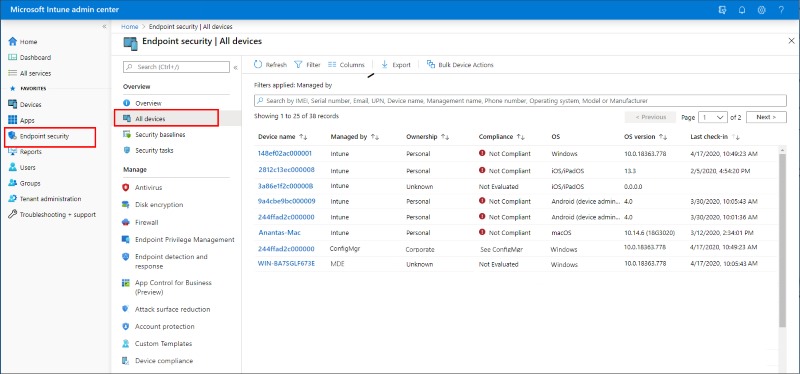
Intune offers device enrollment (automatically deploying settings and certificates), policy automation (for updates and security configurations), application management (installing, updating, or blocking apps), compliance reporting, and remote assistance. The Intune Suite further adds remote help, endpoint privilege management, and a secure VPN-like tunnel for app access. Being cloud-based, Intune lets you manage devices from anywhere with an internet connection.
User Experience
Intune's web-based admin console is easy to use once you understand Microsoft's ecosystem, and its self-service portal lets employees install approved apps on their own, reducing IT workload. Because it runs entirely in the cloud through Azure, no on-premises servers are needed. Small teams may find the platform complex at first if they are not familiar with Microsoft products. A reliable internet connection is required for smooth operation.
 Pros:
Pros:- Cross-platform management covering Windows, macOS, iOS, Android, and Linux.
- Integration with Microsoft 365 and Azure AD for identity and access control.
- Strong security features, including conditional access, compliance policies, and integration with Microsoft Defender.
- Self-service portal reduces IT workload.
- Scales easily for growing organizations.
Cons:- Requires a stable internet connection; offline or local network management is not supported.
- Limited support for some third-party services and complex integrations.
- Advanced configurations may require experienced administrators and training.
- Costs can increase when combining Plan 2 with the Intune Suite, especially for large user bases.
AnySecura
AnySecura is an all-in-one solution for endpoint management, IT asset management, and data loss prevention (DLP). It helps manage all devices—including PCs, laptops, removable storage and servers—to prevent unauthorized access and potential data leaks. Sensitive information is protected through print controls, watermarks, and access restrictions. The platform also automates patch management, vulnerability scanning, and software deployment. Overall, AnySecura provides complete control over endpoints, software, and sensitive data to keep your organization safe.
Key Features of AnySecura Endpoint Management Solution
- Device control: AnySecura can manage and monitor every device connected to your network. You can block unauthorized USB drives or printers and set granular permissions for each user.
- Print & removable media control: Track print jobs and control USB/external storage. The system can encrypt USB drives so data stays secure outside the office.
- Application control: Create allowlists and blocklists to prevent unauthorized software from running.
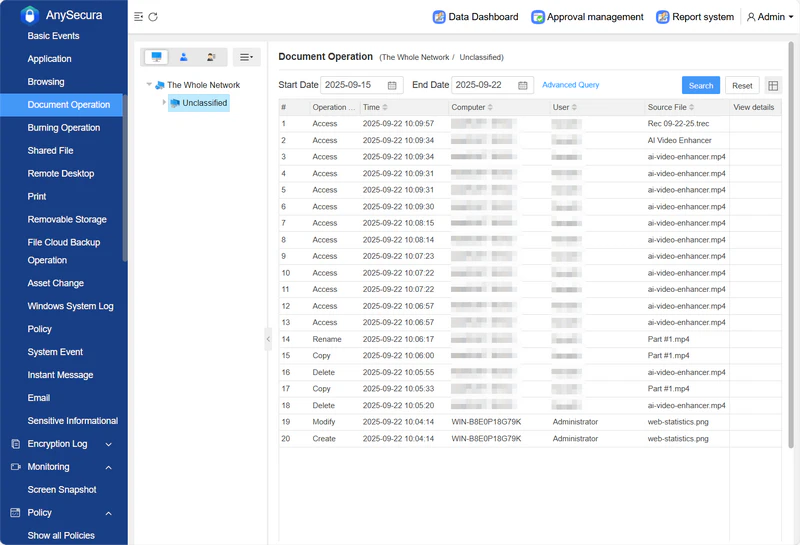
- Document control: Log file operations and user actions. This is crucial for forensic investigations and compliance audits.
- Network traffic control: Restrict IP addresses, ports and protocols to block suspicious connections. Detailed reports show who accessed which services and when.
- Centralized management: AnySecura offers a unified console that provides real‑time monitoring, patch deployment, asset inventory and policy enforcement across endpoints. It also supports remote work environments and hybrid deployments.
User Experience
AnySecura is designed to simplify endpoint management and reduce the time IT teams spend switching between tools. From a single dashboard, administrators can apply policies across Windows, macOS, and mobile devices. You can block unauthorized apps, deploy patches, and monitor USB usage without opening multiple programs. The interface is clear and uses plain-language alerts, making it easy for non-technical managers to understand. AnySecura is flexible enough to support office desktops, remote work setups, or educational devices.
 Pros:
Pros:- Deep data loss prevention: monitor document movements, print jobs and external storage to catch leaks early.
- Comprehensive device, application and network controls in one platform.
- Strong support for remote work and education devices.
- Simple, centralized console reduces administrative overhead.
- Flexible deployment options (cloud, on‑premises or hybrid) to fit different security policies.
Cons:- As a specialized platform, AnySecura may integrate less seamlessly with third‑party productivity tools compared with generic UEM solutions.
VMware Workspace ONE
VMware Workspace ONE is an all-in-one platform that combines unified endpoint management (UEM), identity and access management (IAM), app distribution, and security compliance. It’s a direct competitor to the Microsoft Intune + Entra ID combination, and both are widely used enterprise solutions. In practice, Workspace ONE works best for organizations with devices across Windows, macOS, iOS, Android, and ChromeOS, and complex hybrid IT setups. Microsoft Intune, by contrast, is ideal for teams deeply embedded in the Microsoft ecosystem, with heavy reliance on Office 365 and Windows devices.
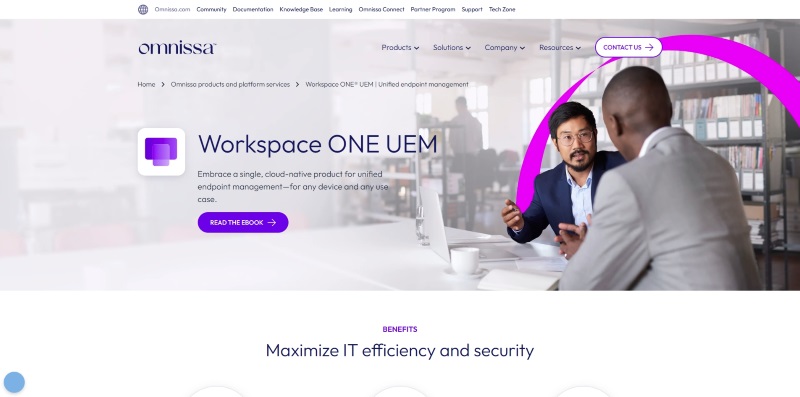
Key Features of VMware Workspace ONE
- Unified device management: Manage all platforms—including ChromeOS—from one console. Apply configurations and fix iOS/Android issues remotely.
- Secure, flexible logins: One account handles all access and integrates with AD, Azure AD, or Okta. Supports multiple authentication methods, including Apple Watch.
- All-in-one app management: Deploy desktop, cloud, and mobile apps. BYOD stays secure with sandboxing, and bulk updates are easy.
- Data protection and compliance: Custom compliance rules and detailed operation logs make audits and traceability simple. Integrates with third-party security tools.
- Time-saving automation: Automate tasks via scripts or APIs. Works across on-premises, cloud, or hybrid IT setups without compatibility issues.
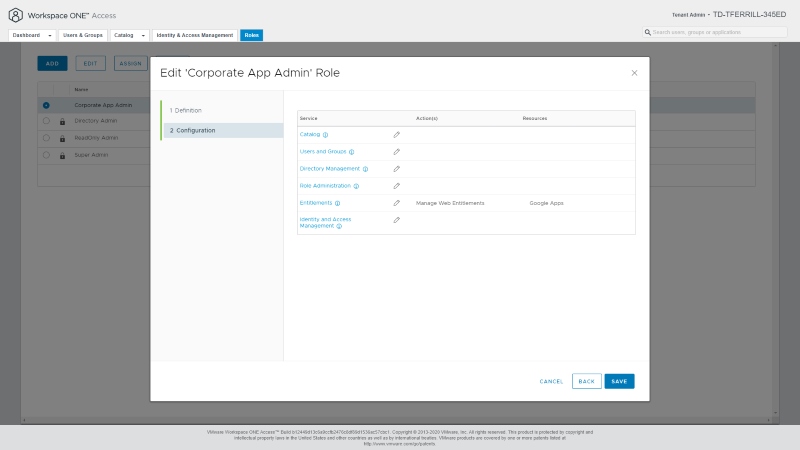
User Experience
Workspace ONE provides secure access to company apps from anywhere and strong mobile support. Multiple apps are consolidated into a single portal, helping boost productivity. The dashboard can feel cluttered at times, and navigation isn’t always intuitive. Integration with non-VMware systems may also be limited.
Pros:- Unified management for mobile, desktop and IoT devices.
- Zero-trust-aligned security with conditional access; risk analytics requires integration with complementary security tools (e.g., VMware Carbon Black)
- Deep integration with other VMware products and virtual desktops.
- Good end‑user experience: secure access to apps and data from anywhere.
Cons:- Dashboard can be cluttered; features are buried in menus.
- Integration with other systems can be limited.
- Many features may be unnecessary for small teams, making the price feel high.
- Initial setup and maintenance often require dedicated IT staff.
ManageEngine Endpoint Central
ManageEngine Endpoint Central (formerly Desktop Central) is a long-standing solution designed for organizations seeking a wide range of endpoint management and security features at an accessible price. It supports Windows, macOS, Linux, iOS, and Android from a single console and is available on-premises or as a cloud-hosted service.
Unlike Intune, ManageEngine Endpoint Central doesn’t rely on the Microsoft ecosystem, and it has a lower entry barrier than Workspace ONE. It focuses on being practical, easy to use, and cost-effective. Its core features complement AnySecura—While AnySecura excels at integrated endpoint management, IT asset tracking, and data loss prevention, this tool covers end-to-end IT operations. Overall, ManageEngine Endpoint Central is a straightforward endpoint management solution that delivers essential functionality without unnecessary complexity.
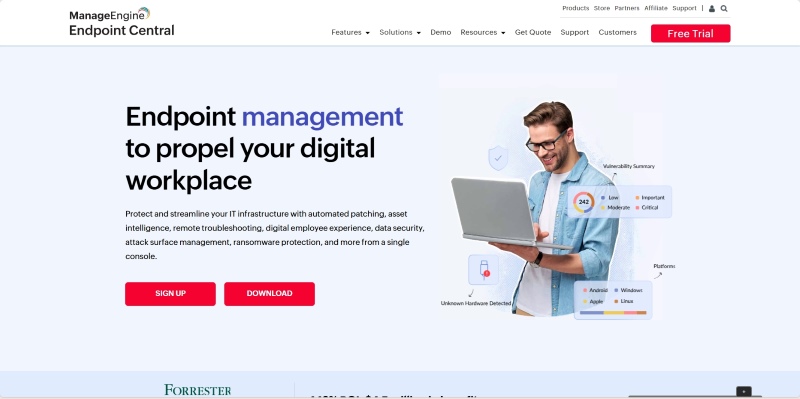
Key Features of ManageEngine Endpoint Central
ManageEngine Endpoint Central's key modules include:
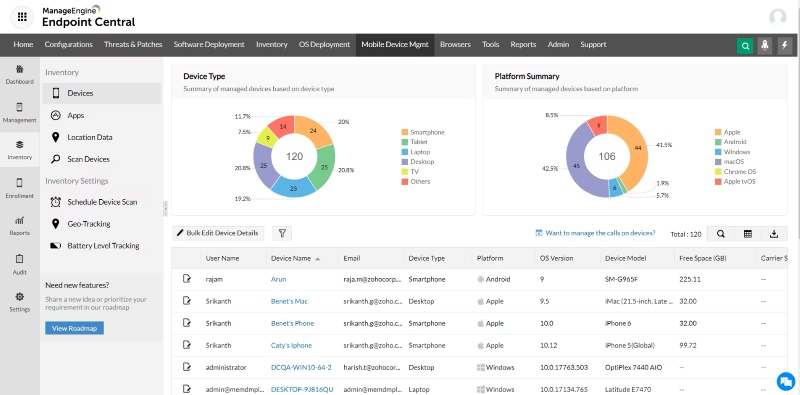
- Asset management with real‑time hardware/software inventory and web‑based reporting.
- Patch management for Windows and Linux, which detects, tests and deploys missing patches automatically.
- Software deployment using application templates and custom packages.
- Configurations and scripts to automate administrative tasks.
- Remote control via ActiveX/HTML5 for support and troubleshooting.
- Vulnerability assessment & remediation integrated into the console.
- Comprehensive reports for compliance and auditing.
User Experience
ManageEngine is popular with IT admins as an all-in-one solution, providing a unified view of hardware, software, and security status. Some limitations include restricted dashboard customization and certain features being buried in menus, making them harder to find.
Advanced features—such as deep customization for complex IoT devices and large-scale cross-region endpoint synchronization—are slightly less flexible than Microsoft Intune or Workspace ONE. Custom compliance for specialized industries (e.g., security-sensitive organizations) may require additional configuration, and large file deployments can be slower in low-bandwidth environments.
Pros:- Unified management for Windows, macOS, Linux and mobile devices.
- Asset discovery, patching, OS deployment, security management and mobile device management in one console.
- Good value for money; the Professional edition starts around $795/year and the Security edition around $1,695/year.
- Suitable for academic institutions and organizations with diverse endpoint types.
Cons:- Error messages aren't always clear when misconfigurations occur.
- Dashboard and report customization is limited.
- Some features require navigating through multiple tabs, which can slow down troubleshooting.
Ivanti Unified Endpoint Manager
Ivanti Unified Endpoint Manager (formerly LANDesk) is built for enterprises needing centralized control over desktops, laptops, mobile devices, and IoT endpoints. It offers full-lifecycle management with AI-driven automation and zero-trust security, excelling in complex multi-device and industry-specific scenarios.
It supports Windows, macOS, iOS, Android, Linux, and ChromeOS, as well as immersive devices like HoloLens and Oculus, and rugged industrial hardware such as Zebra devices. This makes it more versatile than Intune, which relies on the Microsoft ecosystem, or AnySecura, which focuses mainly on desktops. Compared to Workspace ONE and Endpoint Central, Ivanti stands out for managing specialized industrial and immersive devices, making it ideal for healthcare, logistics, and manufacturing.
AI-driven automation is a key highlight, with preconfigured bots handling tasks like blue screen detection, post-patch checks, and disk encryption monitoring.
Key Features of Ivanti Unified Endpoint Manager
- Supports all device types: Beyond standard devices, it can also manage specialized equipment such as industrial hardware and VR devices.
- Automates routine tasks: AI-driven bots handle common operations like blue screen recovery and patch verification automatically.
- Reliable security: Separates work and personal data, provides a dedicated VPN for secure access to corporate apps.
- Remote support and self-service: Remote troubleshooting integrates with ticketing systems, while employees can install approved software themselves—offering streamlined remote management and user-friendly self-service capabilities, with integrations to popular ticketing systems.
User Experience
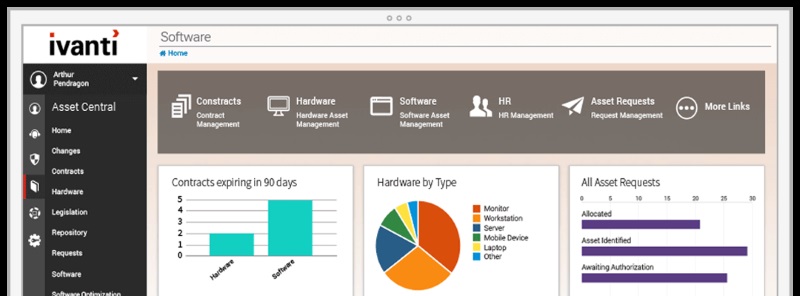
Large organizations appreciate Ivanti's scalability and ability to manage many device types. However, the interface is complex, and training is often required to use it effectively. The platform may integrate poorly with other systems, as one reviewer noted difficulties integrating with existing tools. Pricing is generally customized and may be high for small businesses.
Pros:- Comprehensive management for multiple device types in one console.
- Scalable solution suitable for large enterprises.
- Flexible deployment: choose cloud or on‑premises.
Cons:- Complex user interface requiring specialized training.
- Pricing isn't transparent and can be high for small budgets.
- Limited integrations and a learning curve, as noted in user reviews.
How to Choose the Right Endpoint Management Software?
Selecting the right tool doesn’t have to be overwhelming. Use the following criteria to narrow down your options:
Company size and device diversity
Small businesses with a handful of devices may not need the enterprise‑level capabilities (and cost) of Ivanti or Workspace ONE. ManageEngine or AnySecura could be more cost‑effective. Large enterprises with hundreds or thousands of endpoints—including IoT devices—should look at Intune, Workspace ONE or Ivanti for scalability and robust security.
Operating systems and platforms
If your environment is mainly Windows and you already use Microsoft 365, Intune should be your first option. For mixed environments (Windows, macOS, Linux, mobile), ManageEngine or Ivanti provide broad coverage. AnySecura focuses on Windows, macOS and mobile devices with strong DLP. VMware Workspace ONE is ideal if you already use VMware’s virtualization ecosystem.
Security and compliance needs
Organizations in regulated industries (finance, healthcare, education) should prioritize tools with advanced data loss prevention and granular policy control. AnySecura shines here with its print, document and USB control. Intune and Workspace ONE offer strong conditional access and integrate with threat defense services.
Ease of use vs. depth of features
Consider your team’s expertise. Ivanti and Workspace ONE provide deep customization but require training and dedicated IT staff. Intune can be complex for newcomers but is intuitive if you’re familiar with Microsoft products. ManageEngine strikes a balance between features and usability. AnySecura is straightforward, with a single console focusing on data security.
Budget
Look at both the upfront cost and ongoing subscription fees. ManageEngine’s annual pricing can be attractive for mid‑sized companies. Intune’s per‑user model scales well but can become expensive with add‑ons. Workspace ONE is priced per user or device and may be costly for small teams. AnySecura’s pricing is customized; contact sales to tailor the package to your needs.
By weighing these factors—size, platform diversity, security requirements, ease of use and budget—you can quickly narrow the field. Don’t forget to test products through free trials before committing.
FAQs about Endpoint Management Software
What is endpoint management software used for?
It helps IT departments manage and secure all company devices from a central place. With an endpoint management tool, you can automatically install updates, enforce security policies, track hardware and software assets, and lock or wipe a device if it’s lost. This reduces the risk of data breaches and saves time compared with manual updates and troubleshooting.
How do I choose the best tool for my business?
Start by listing your must‑have features—supported operating systems, security controls and reporting. Think about the number of devices you manage and your IT team’s skill level. Compare pricing models and look for free trials. Consider whether you need advanced data loss prevention (AnySecura), seamless Microsoft integration (Intune), a zero‑trust model (Workspace ONE), broad device coverage at a lower cost (ManageEngine) or enterprise‑grade scalability (Ivanti). Evaluate each tool against your budget and regulatory requirements and choose the one that meets your needs without overcomplicating your workflow.
Are these tools suitable for small businesses?
Yes, but some tools fit small businesses better than others. ManageEngine and AnySecura typically offer flexible licensing and easier deployment for smaller teams. Intune can work for small businesses that already use Microsoft 365, but costs may add up when adding advanced features. Workspace ONE and Ivanti are designed for larger enterprises and may be expensive or complex for small companies. Always try a demo first to see if the tool’s interface and pricing suit your organization.
Conclusion
Endpoint management is essential for protecting business data, supporting remote work, and keeping devices compliant. In 2026, there’s no one-size-fits-all solution: Microsoft Intune integrates well with Microsoft environments; VMware Workspace ONE offers strong zero-trust security at higher cost; ManageEngine Endpoint Central balances features and affordability for mid-sized teams; Ivanti scales for large enterprises but is complex and pricey; AnySecura excels in data loss prevention with controls over devices, printing, documents, and networks.
For businesses prioritizing sensitive data protection and control, AnySecura is worth considering, providing a unified console and robust DLP features even for remote teams.